Deactivate user and remove access on iSupplier
Supplier Actions
Overview
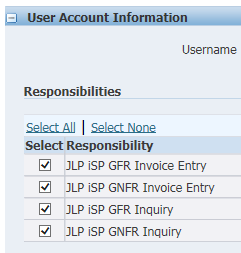
It's the responsibility of your organisation's JLP iSupplier Administrator to maintain your JLP iSupplier User base. Only one user can have access to the Profile & User Manager account on iSupplier.
Please ensure any JLP iSupplier Users who leave your organisation have their access removed and any additional users are set up.
If you want to set up access for a new Administrator, please contact the Financial Service Centre using the help request here.
Actions
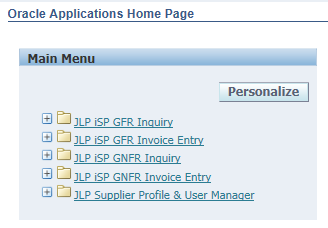
- Log onto iSupplier
Note: must be a validated domain.
-





Solution Properties
- Solution ID
- 210915180706283
- Last Modified Date
- 02/25/2026 01:12:17 PM
- Attributes
-
GCM Case Type
- Finance Operations: eInvoicing Portal
- Article Type: How To
- Taxonomy
- Collections
-
- Finance - Supplier Help
- Views
- 0